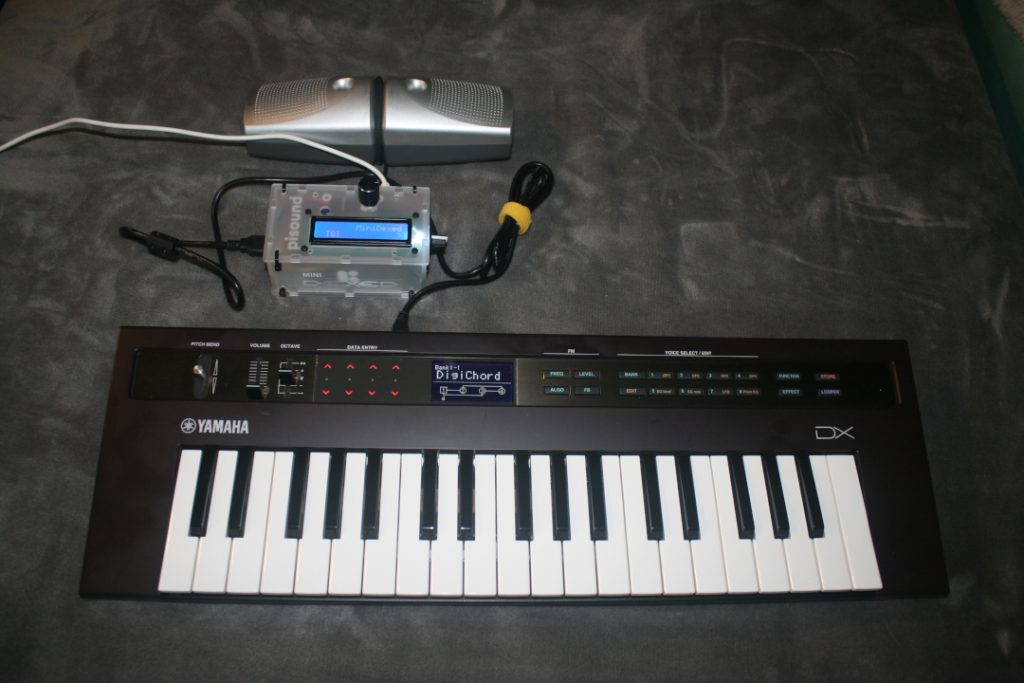
So I promised a little bit ago that I’d take a shot of using the MiniDexed with a keyboard and speakers. Here we are – I have my Yamaha Reface DX connected via USB to the MiniDexed and able to play sounds from MIDI to speakers (I’d recommend a small amp, the output without an amp is quiet).
Yamaha Reface DX connect by USB to MiniDexed Synth and Speakers
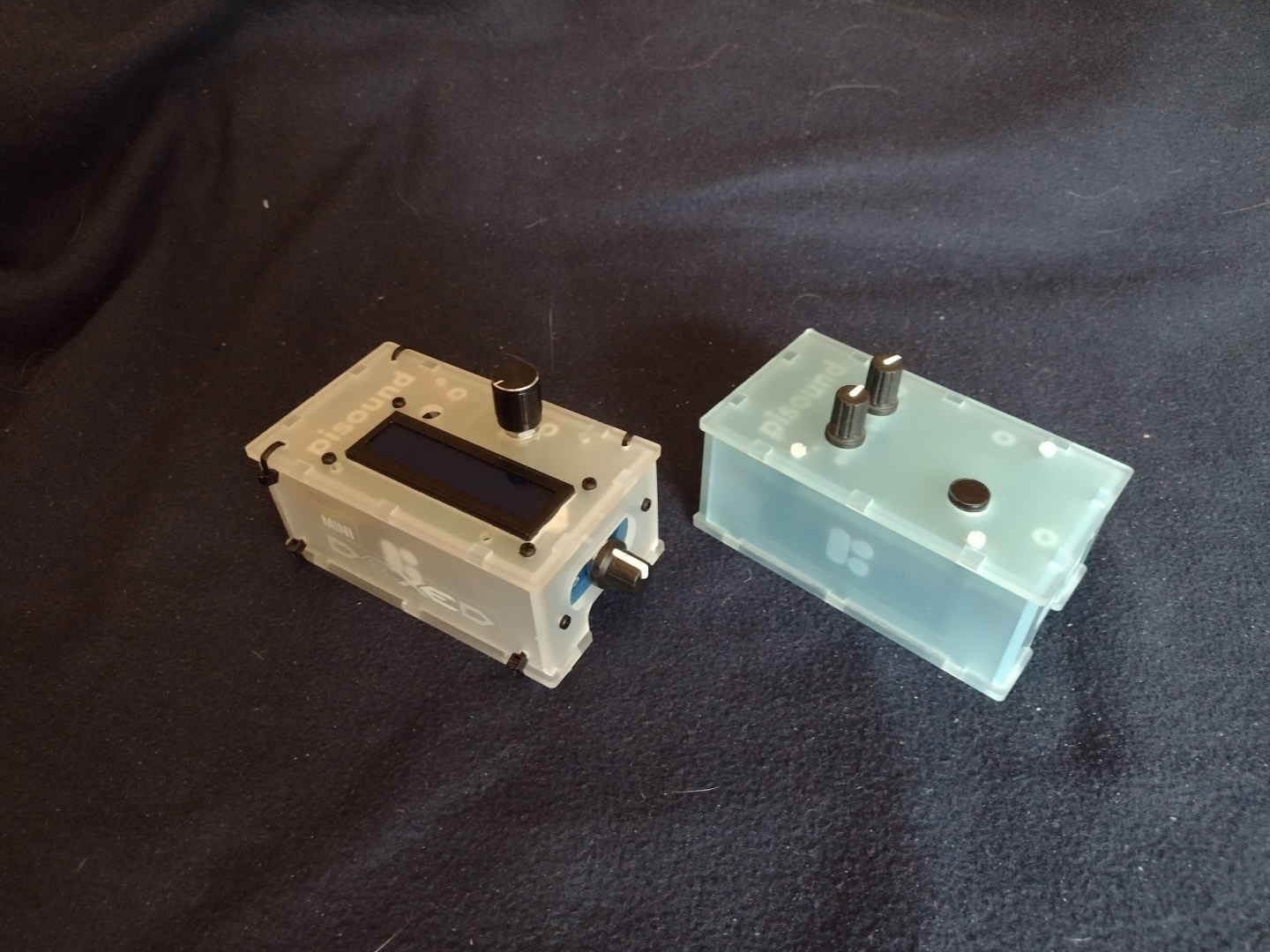
I did take pictures with the pisound project and MiniDexed project together. You can see what I did to the project box by comparing the original pisound and my MiniDexed. Note that the pisound uses a Raspberry Pi 3b+ and my MiniDexed uses a Raspberry Pi 4b (8 GB). The pisound case I got for the MiniDexed comes with different panels for the different versions of the Raspberry Pi.
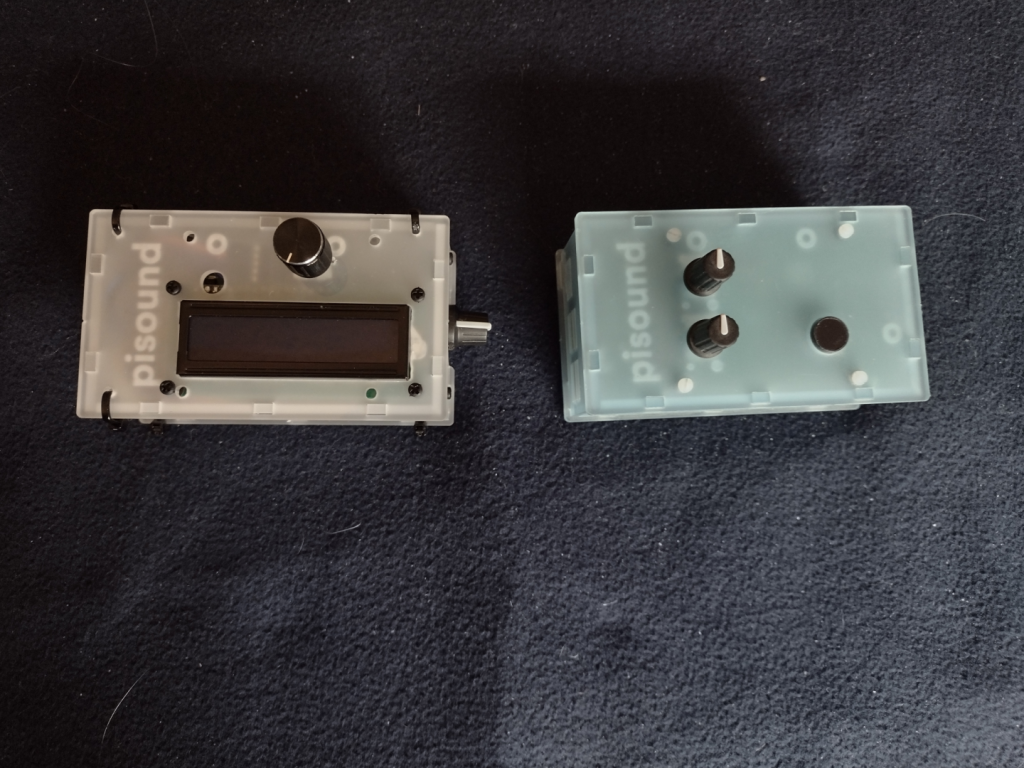
The MiniDexed on the left, the pisound on the right, view from the top.
The MiniDexed on the left and the pisound on the right. Here the MiniDexed has the LCD panel and Encoder Knob on the top, and the LCD Contrast Knob on the Right Side. A hole was drilled for the Encoder Knob as you can see on the pisound there is no hole there. You can see the Zip Ties I used in all the pictures.
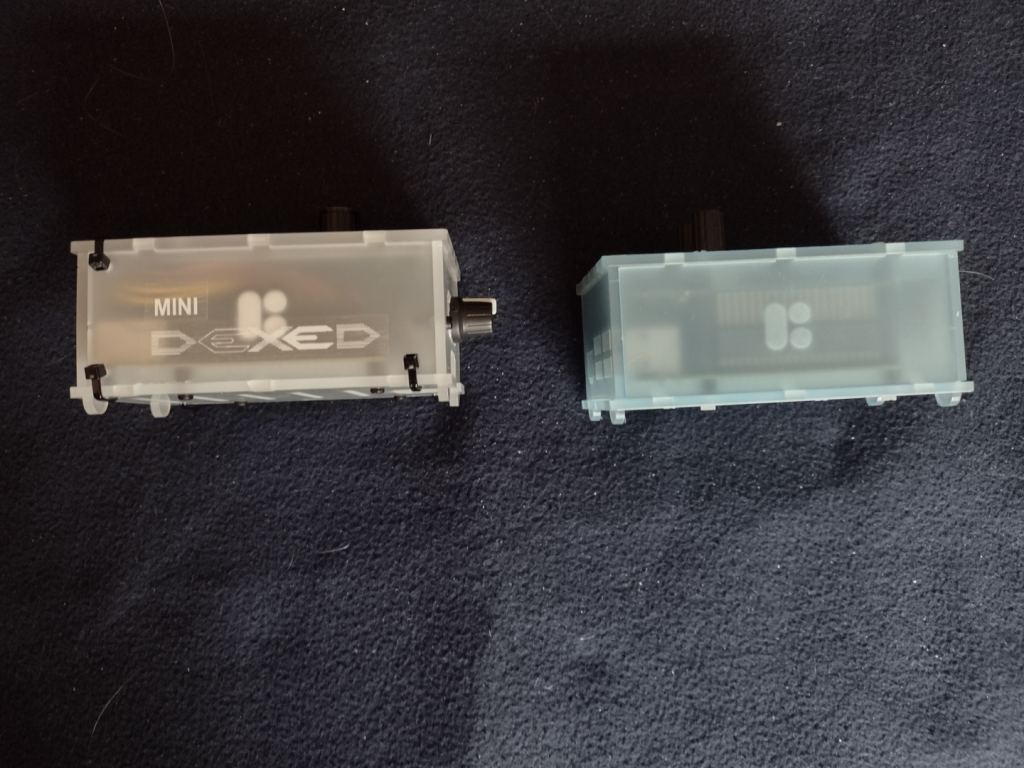
The MiniDexed on the left, the pisound on the right, view from the front.
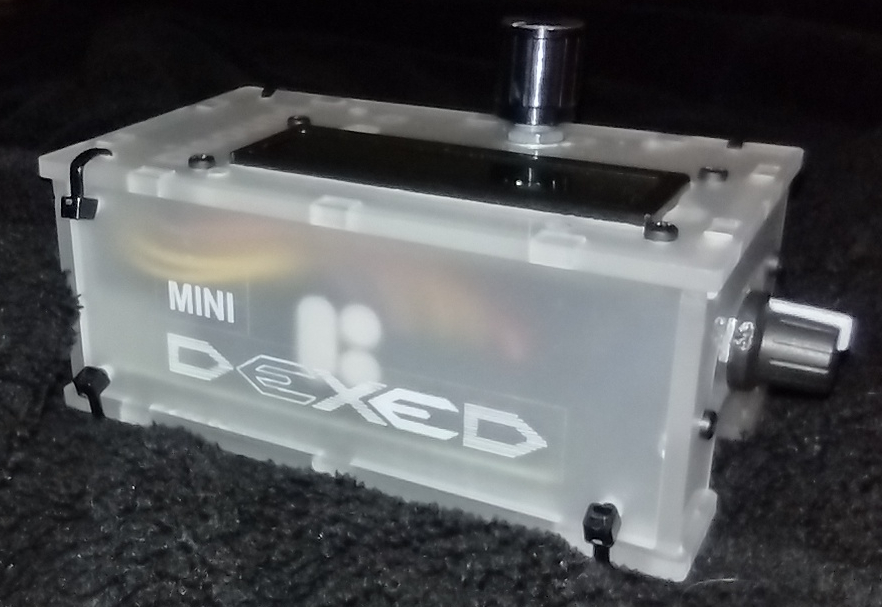
On the MiniDexed I added a pair of labels to show the MiniDexed Logo. Originally I was going to use Black ink. But I didn’t have any black-on-clear label tape, only the white-on-clear. It works ok, but not as well as I wanted. I got the logo from the Facebook MiniDexed page. I like their logo. You can see the LCD Contrast Knob on the right side of the MiniDexed. There are only three Zip Ties on the front face because the LCD Module Circuit board is in the way. I had to put the LCD Module close to the Front side so I could squeeze the Encoder Module at the back side.
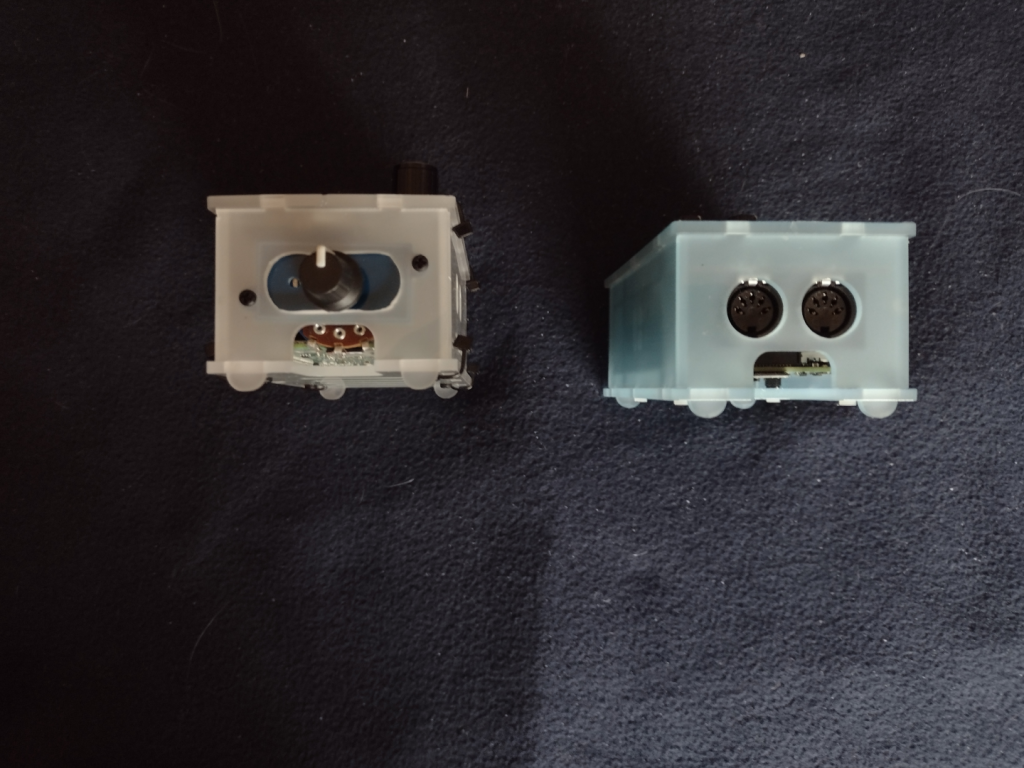
The MiniDexed on the left, the pisound on the right, from from the right side.
The LCD Contrast Knob is attached in the modified MIDI ports holes. I cut out the bridge between the two MIDI port holes to make one larger hole. Then I used a filler plate from the RC2014 project case. The potentiometer for the contrast is large and you can see it through the micro SD Card Slot window. Taking out the micro SD card on the MiniDexed will require some disassembly to get to it. On the pisound, the micro SD card is accessible.
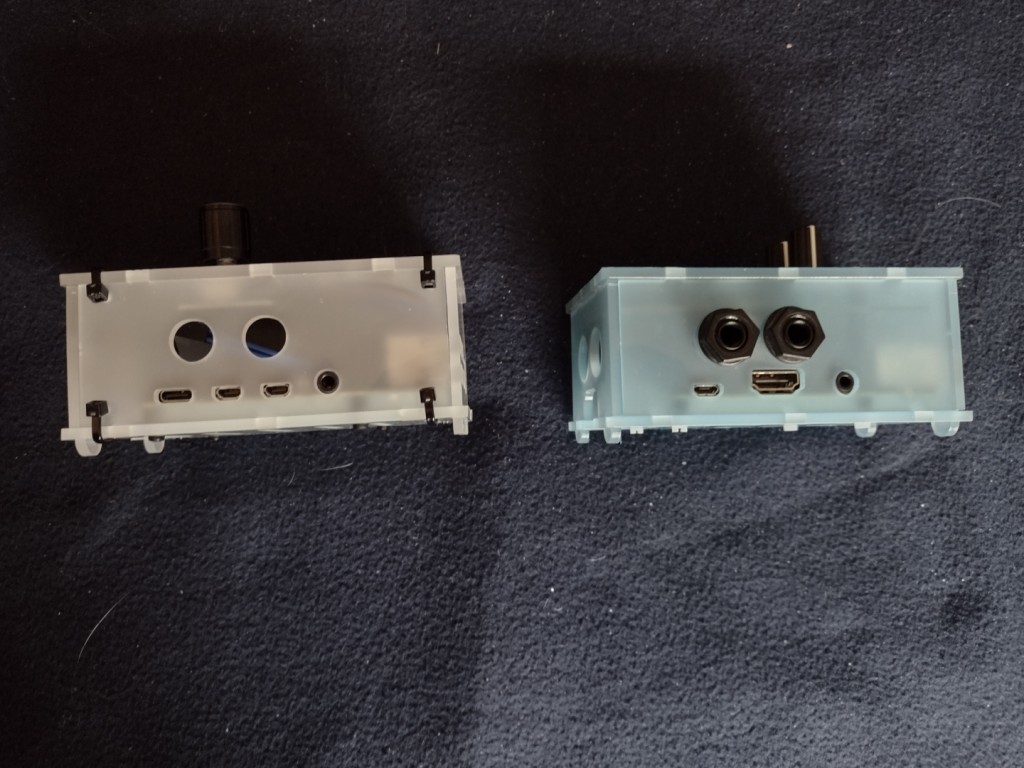
The MiniDexed on the left, the pisound on the right, from the back.
The differences between the Pi3b and Pi4b are somewhat obvious here. Note that the 6.5mm audio jack ports from the pisound are not used on the MiniDexed. There really isn’t room inside the case for the Audio DAC circuitry because of the LCD Module and the Encoder Module.
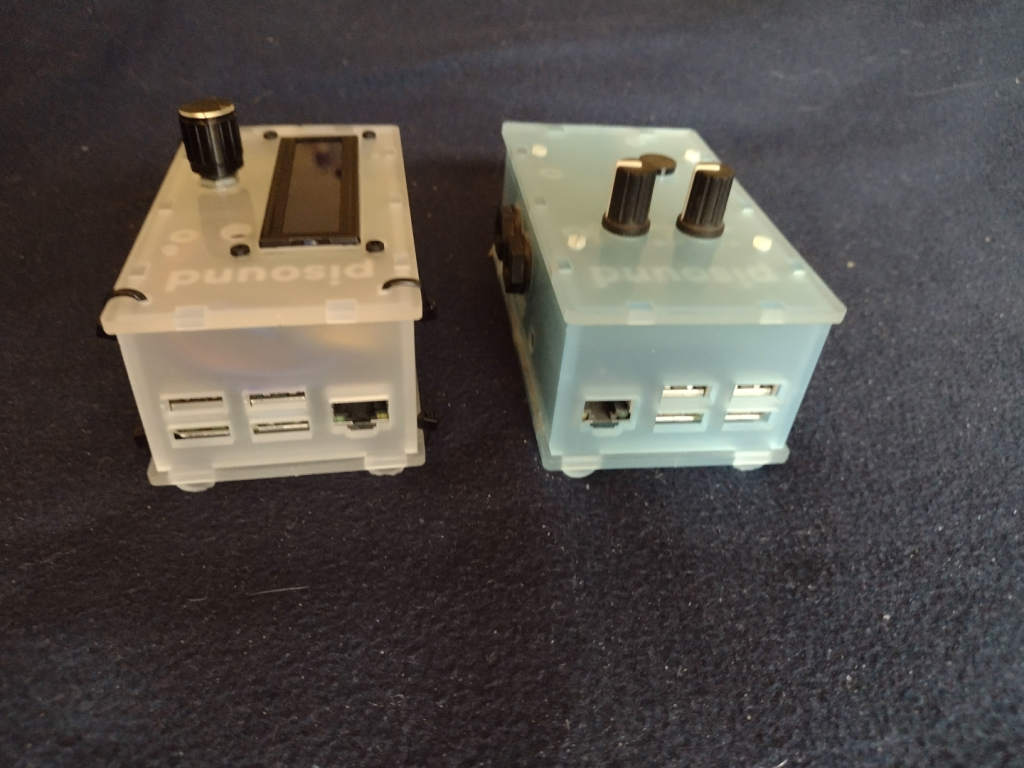
The Pi4b has a USB C port for power, two micro HDMI ports for video (not used for the MiniDexed), and a 3.5mm port for the Audio. On the Pi3b+ for the pisound, there is a micro-USB for the power, a single full size HDMI and a 3.5mm audio jack (neither is used on the pisound). The 3.5mm audio jack on both the Pi4b and the Pi3b+ include a forth conductor for composite video. On the Pi3b+ and older Pi models, the audio was considered inferior, which is why the pisound has the Audio DAC circuitry and the two (Stereo In and Out) 6.5mm jacks.
The MiniDexed on the left, the pisound on the right, from the left side.
I had to abandon the straight on photo of the side panel for the left side because of the LCD Contrast knob on the right side of the MiniDexed. This shows another difference between the Pi3b+ and the Pi4. The Ethernet port swaps sides with the USB ports.
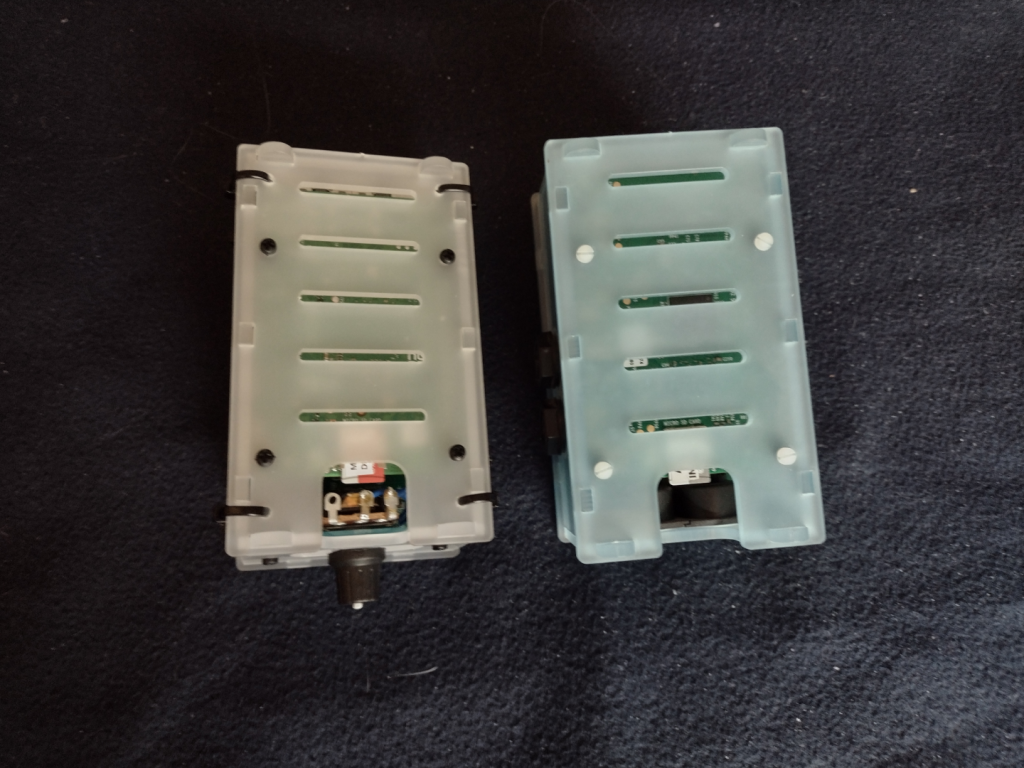
The MiniDexed on the left, the pisound on the right, from the bottom.
From the bottom you can see how the MiniDexed LCD contrast knob potentiometer takes up valuable space needed to access the micro SD card. I’ll have to cut out all the Zip Ties to make changes to the micro SD card. I will consider replacing that potentiometer with a smaller potentiometer if I ever need to get to the micro SD card.
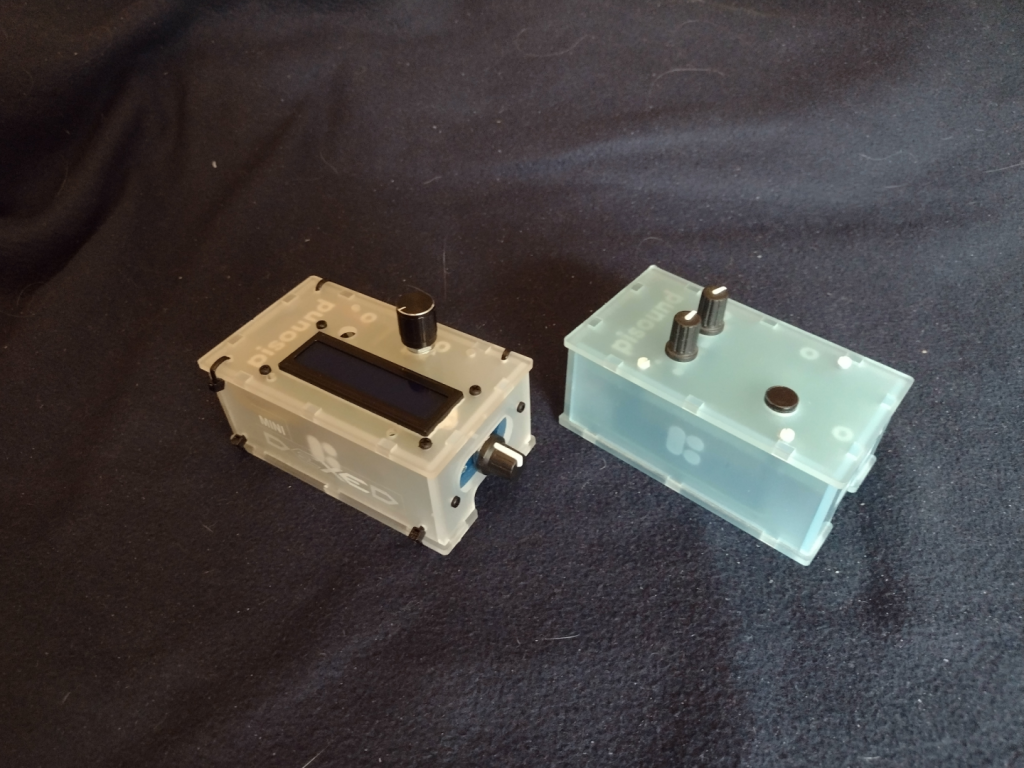
The MiniDexed on the left, the pisound on the right, from the top front right corner.
This is kind of a “glamour shot” of the two projects showing off the top, front, and right sides.
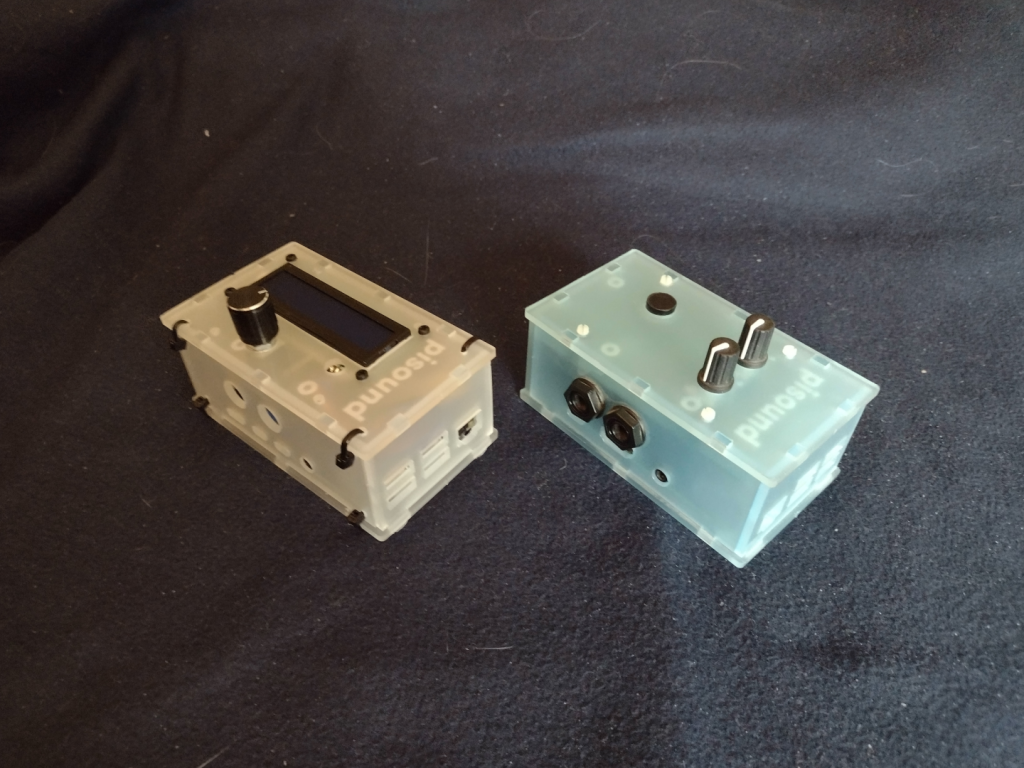
The MiniDexed on the left, the pisound on the right, from the top left back corner.
The final shot of the two projects showing off the top, left, and back sides.
The MiniDexed is a bit of a tight fit into the pisound project case, but it works, and that is the point.
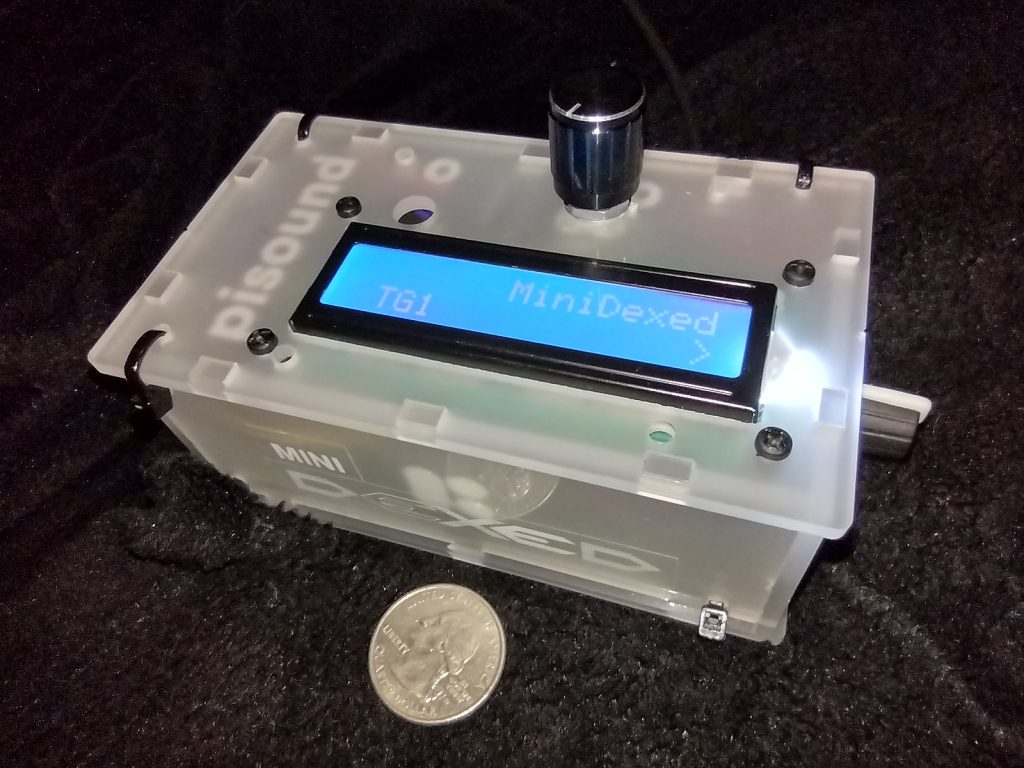
I’ve posted about my miniDexed project a couple of times before (Here and Here). I finally got my real miniDexed Project Box for it completed. It turned out well. I did have to buy a coping saw so I could cut the LCD panel hole. I also needed to drill out holes for the Encoder/Button knob, and for the LCD Contrast knob. And then a bunch more holes for the Zip Ties to hold the box together.
MiniDexed Yamaha DX7 emulator in it’s pisound project box. Quarter coin for scale.
I put together a little logo from the one used on the MiniDexed Facebook group and fixed that to the side of the project box. I really wanted black ink on the label, but I didn’t have any Black-On-Clear label tape. It’s actually two labels, the MINI on a short strip and then the DEXED in a larger “font” (not really a font, it isn’t even actual text, just a PNG of the text). On the top is the Encoder/Button knob. On the right side in the picture is the LCD Contrast Control knob. Around the side to the left are the Raspberry Pi I/O ports, 4 Type A USB (two USB3 and two USB2) and the Ethernet port. On the back side are the two Micro-HDMI video ports, a 3.5mm audio jack (with composite video), and the USB Type C for power.
I chose the Raspberry Pi 4 8GB model because the audio on the combined Audio/Composite video jack is supposed to be better than it was on the previous Raspberry Pi models. It is better, but an actual DAC sound module would be better still. But the DX7 wasn’t the cleanest sound, so there is that, too. The pisound that I have uses a Raspberry Pi Model 3 model with a special Audio board to avoid the sound issues, and a MIDI board. I didn’t try to add MIDI to my miniDexed, though I think others do. I will depend on USB MIDI. I did test that with my Yamaha Reface DX (Yamaha’s modern mini FM Synth). I’ll need to get a shot of the Yamaha Reface DX and the miniDexed together.
I’ll take some shots of the miniDexed and the pisound side by side for a comparison in a future post. The pi sound is a cool idea. I haven’t really taken advantage of it yet, and I’ve had it a long time – at least by October 2018.
One thing about the miniDexed is that it is really eight DX7 engines running together. Like a TX816
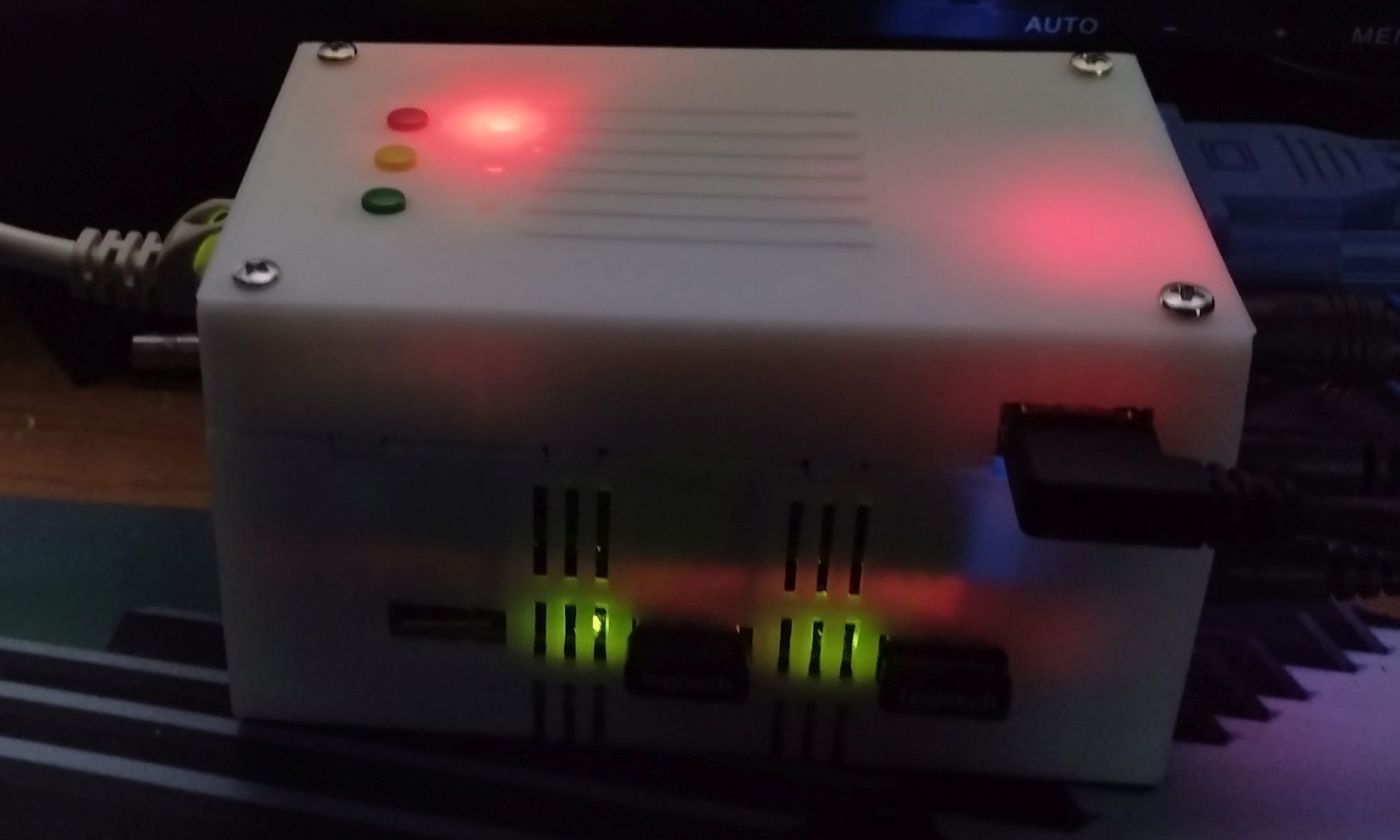
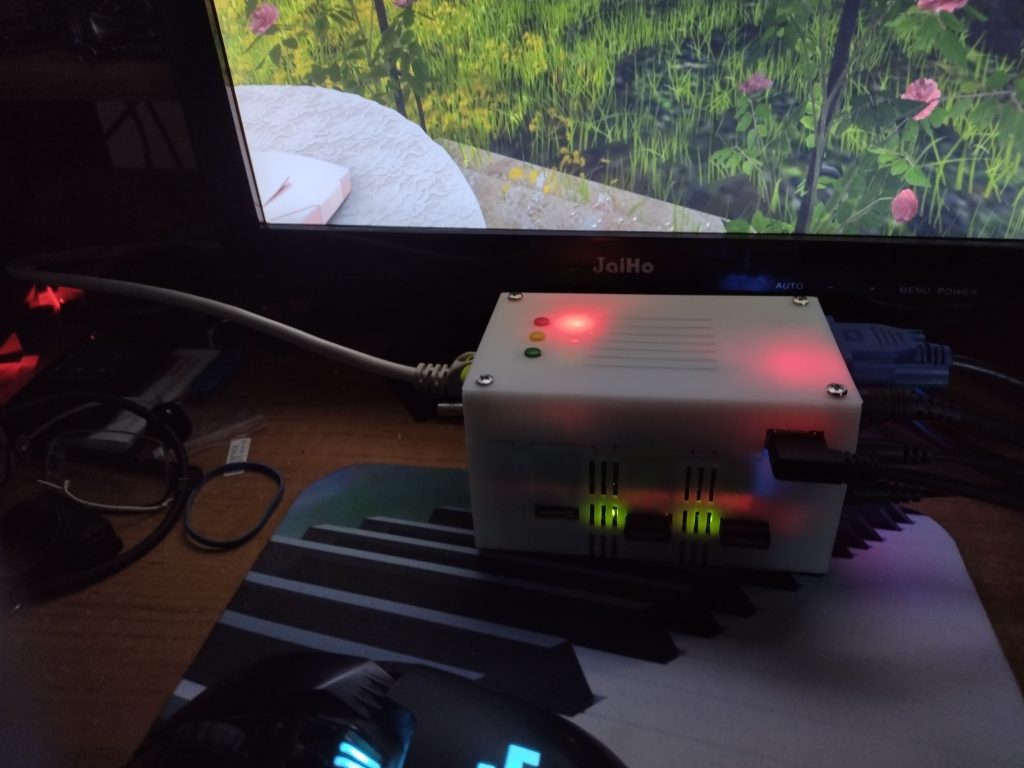
I got a 3D printed case from iCode.com for my MiSTer FPGA. It comes in several colors. The case I have is the “Crystal White” which is semi-translucent. It has little holes drilled to let the LED lights through but they shine right through the case anyway, so no light-pipes needed. It looks really nice, though I did have to file open a couple of the holes. The VGA connector needed more room, for example.
iCode.com Crystal White semi-translucent MiSTer FPGA case, system powered up and LEDs glowing.
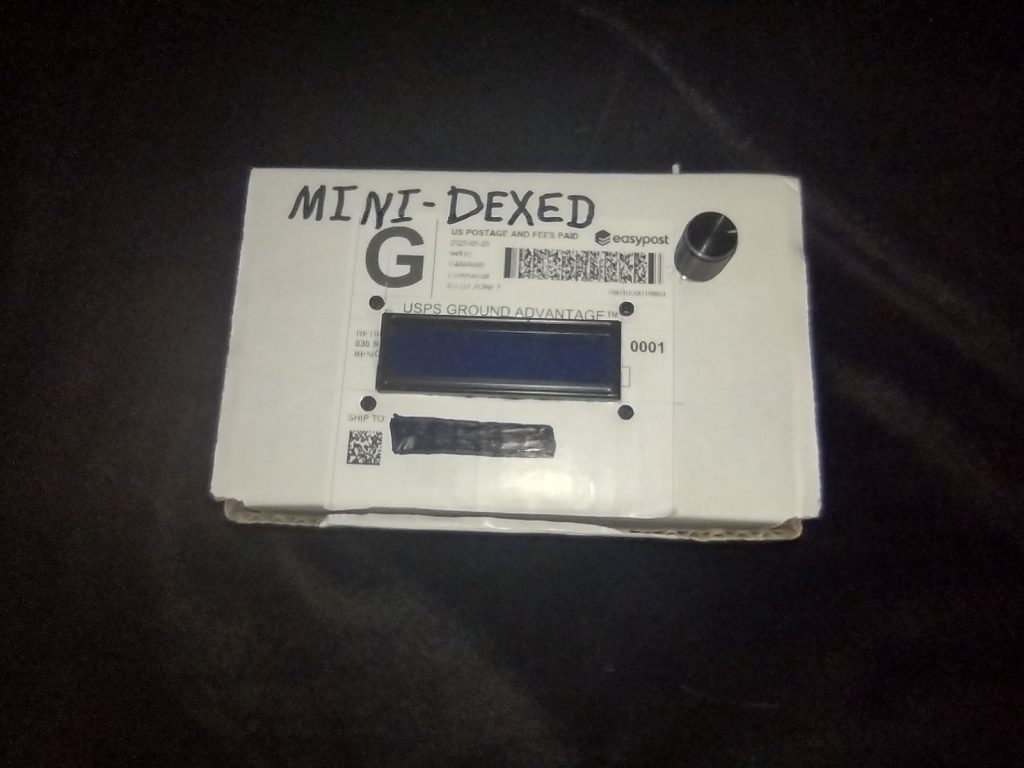
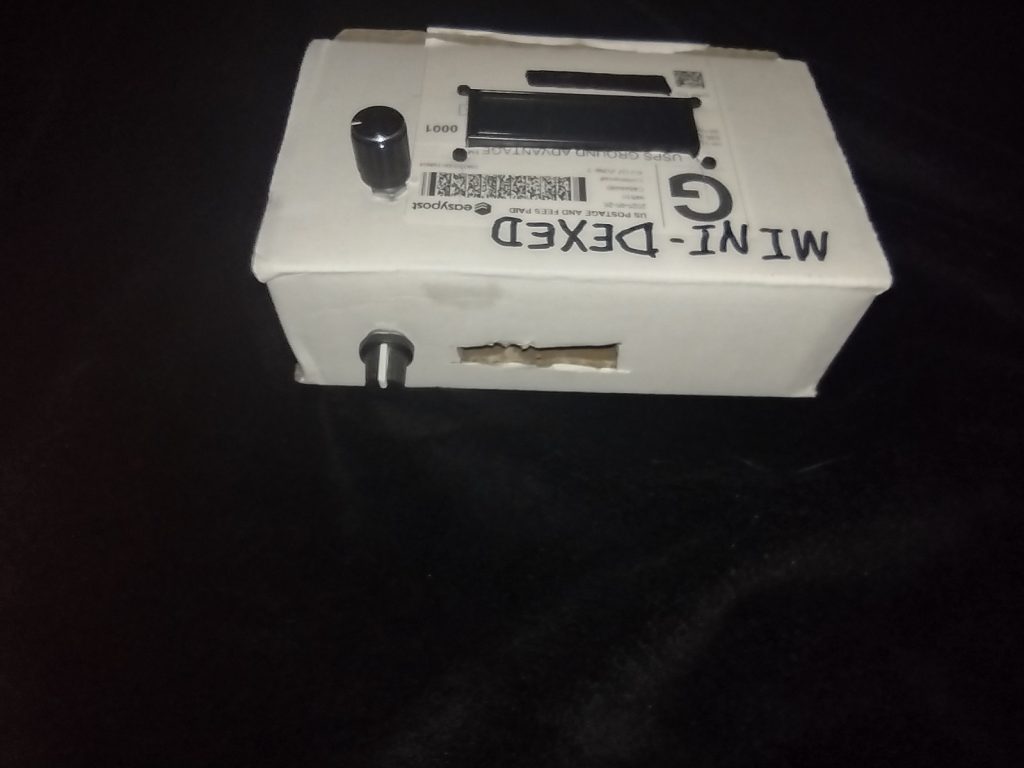
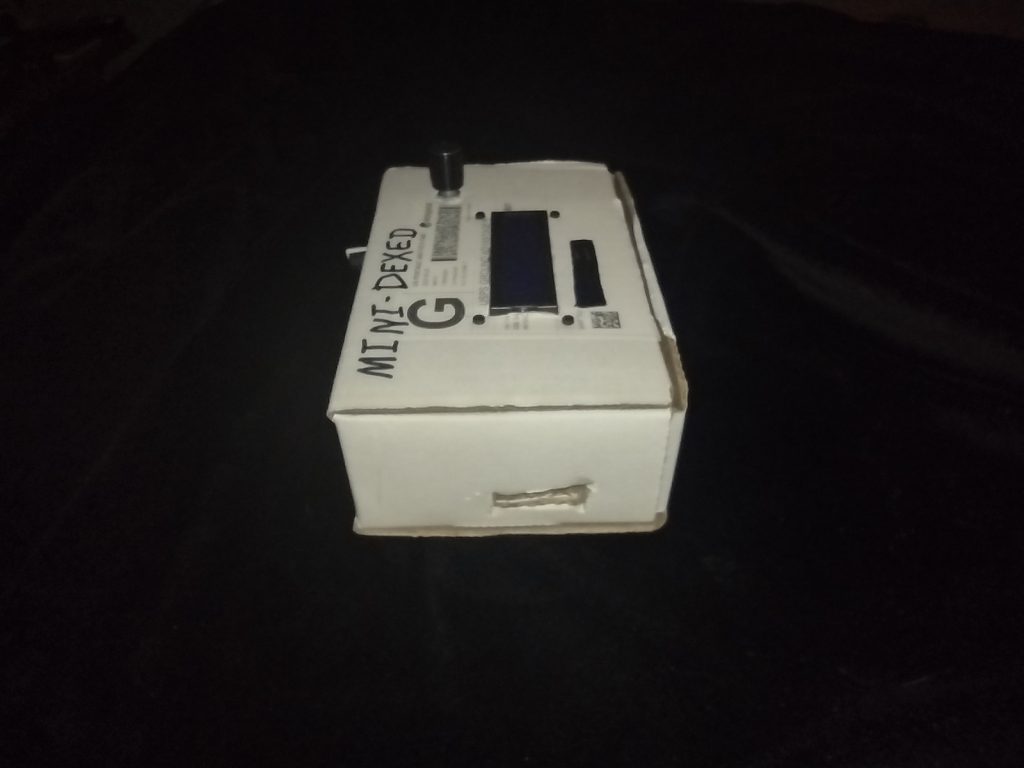
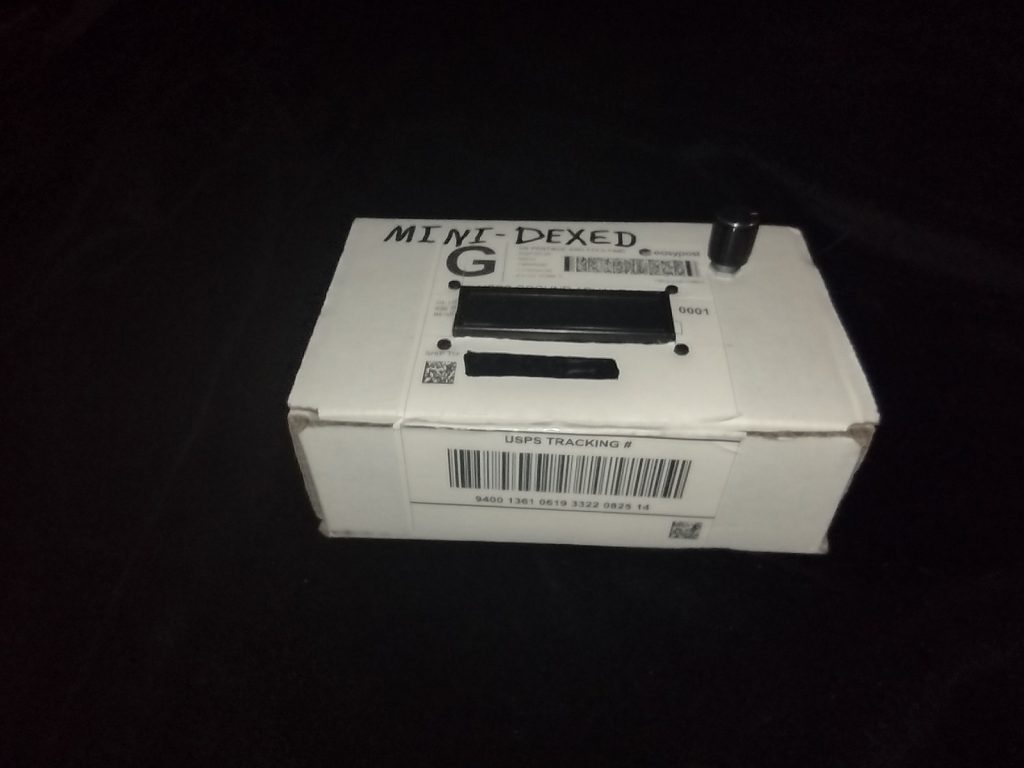
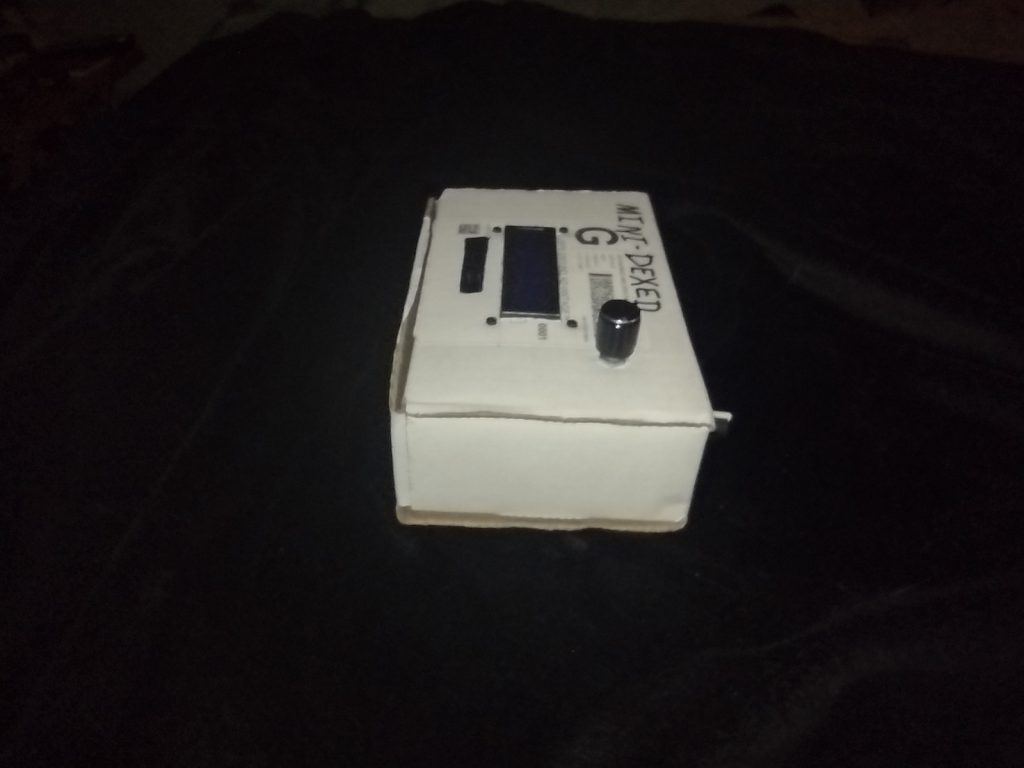
I staged my MiniDexed project into a carboard box, pending getting my plastic case cut so I can finish in that. I’ll be using a PiSound Case from Blokas. I have an Actual PiSound and thought the case it is in would work for my MiniDexed, but I need to cut holes in it to pack the MiniDexed into it. But I want it done clean so I need some more parts for the project before it get’s it’s new home. Below is the current CardBoard MiniDexed.
Soon I’ll have a new project, the RC2014 Zed Pro, 8-bit Retro computer. It’s a modern take (from the Retro Challenge in 2014) on an 8-Bit Z80CP/M computer. My first computer was a HeathKitH89HDOS computer, where HDOS was a work alike system like CP/M. So this will be very similar, but without the built in CRT and Keyboard. It is made from currently manufactured parts, except the Zilog Z80 CPU which JUST went out of production late last year. Fortunately the creator of the kit has some Z80 chips still. But eventually those will run out, so I bought one and will have it in hand very soon.
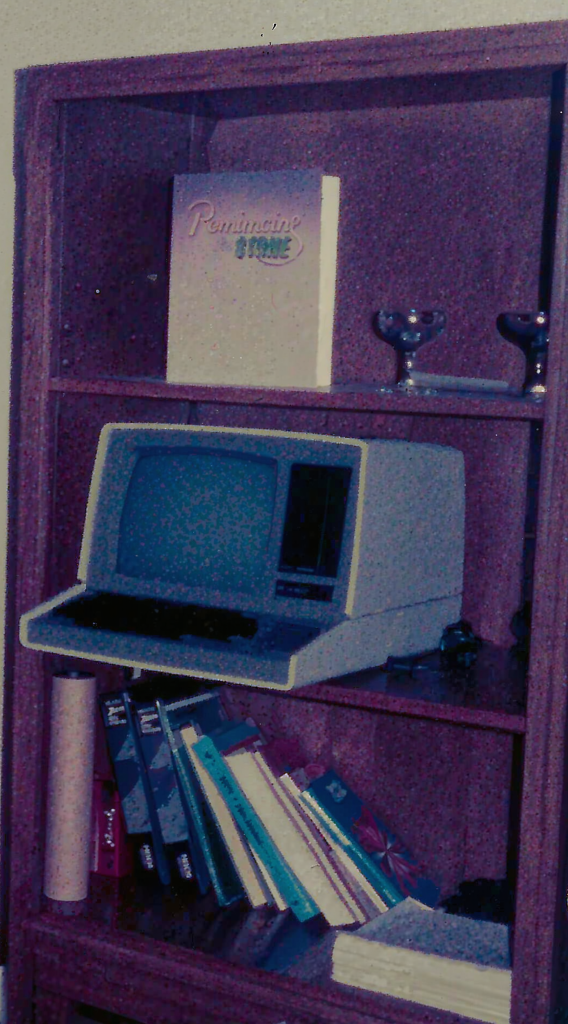
I do have a soft spot in my heart for the Z80 because of my H89
My HeathKit H89 computer which I built for a National Technical Schools Micro Computers course
I started a new project to make a MiniDexed synth. The little synth recreates, to a large degree, the famed Yamaha DX 7 Synth (minus the keyboard and “front panel”). The MiniDexed uses a Raspberry Pi as the base, with a couple of knobs and a simple text display.
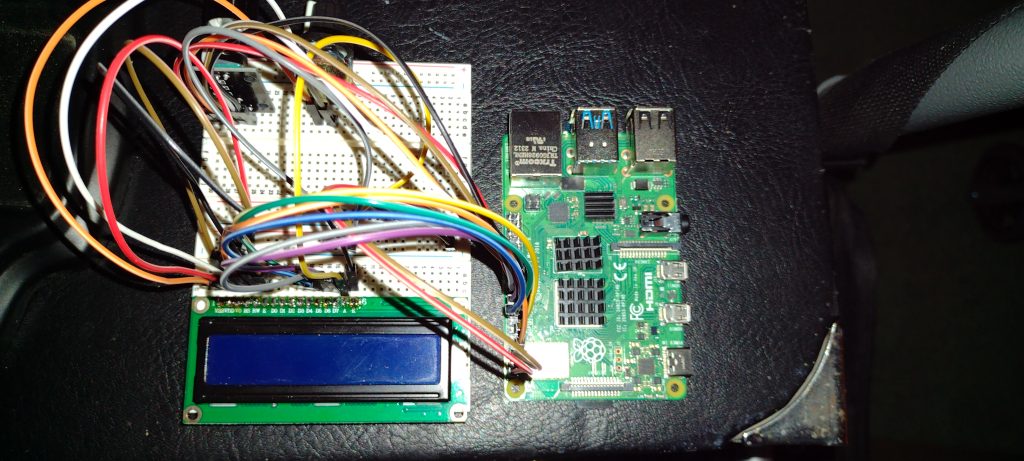
My MiniDexed Synth so far – prototype stage
I’ve ordered a project box to put the MiniDexed into which will take a while to arrive, they’re currently made when they’re ordered and then shipped, from Europe. I’m repurposing a PiSound case to make my project. The MiniDexed project has a “print-your-own” case available, but I don’t have a 3D printer so my choice was the PiSound case. The page for the project has a section showing their case design. That same page shows the wiring diagram I used to make the prototype.
I’ve tested the setup, and it does play music and emulates DX-7 voices nicely. I had to use a MIDI keyboard to control the synth and play some notes. In my picture above, you can see the simple 2 line by 16 character display, the rather well hidden two knobs – A continuous encoder to scroll through menus and select options, and a contrast potentiometer, and of course the Raspberry Pi 4.
I will be using connector headers to make the wiring harness so that the parts can be installed in sections so I can open the project case as needed. One 16 pin header for the display which connects to a 2×20 pin header to connect to the Raspberry Pi GPIO pins. That 2×20 pin header will also connect a five pin header to the continuous encoder, and a 2 pin connector for the contrast potentiometer.
Once completed, the MiniDexed will operate as eight sound engines, each capable of 16 simultaneous notes, much like a Yamaha TX 816 Rack module. The TX 816 put 8 DX-7 Sound Engines in a rack mountable cage. That’s 128 notes at a time via the 8 sound engines (they can be all the same voice, or 8 different, or a mix between, at 16 notes from each sound engine). All controlled by MIDI messages.
I found all the parts to a DIY Music Synthesizer – The ArduTouch Music Synthesizer by Cornfield Electronics. It uses an Arduino UNO type microprocessor. I bought the kit in 2017. I got the decent Soldering Station so I was ready to put it together. I ran to the web page for the ArduTouch and got the assembly instructions. So – Here is the finished results:
ArduTouch Music Synthesizer, batter pack and FTDI cable.
I should emphasize that this is an Arduino UNO type setup, the board is different, but it does use the same Atmel ATmega328P main chip. It makes rather interesting sounds. The default synth program is called Thick. There are several other programs in the github repository.
I keep busy. Sadly, while I do keep busy, I don’t keep busy with a lot of new stuff worth blogging about. But I do have something now.
A short while back I ordered an MT32-PI from LegacyPixel. It is basically a Raspberry Pi 3A+ that has a “hat” added from the MiSTer FPGA project. The MiSTer FPGA is a hardware “recreation” of ancient 70s and 80s era personal computers, game consoles, and even Arcade games. But that isn’t the topic of this post. The MT32-Pi is.
Long ago, in the 80s when Personal Computers were still in their infancy, Sierra Entertainment made a few popular lines of games. One of the key features was their sound tracks. And one of the key features of their sound tracks, and thus their games, was the ability to play via MIDI to the Roland MT32 music synth module.
The games could use a number of audio sources, the PC Speaker, the Adlib and Sound Blaster PC Sound Cards, Tandy / PC jr 3 Voice Sound, and the Roland MT32. It was this last, the MT32, that was the top of the line audio source for games. It was supported in many Sierra games, because it is what the music composers used when composing the sound tracks. And it really sounds excellent.
The MT32-PI can emulate the Roland MT32 using MUNT and work with all those games. It also has a SoundFont engine called FluidSynth. So it can be a Roland SoundCanvas SC-55, too, which many other games support. Any other kind of SoundFont can be used too.
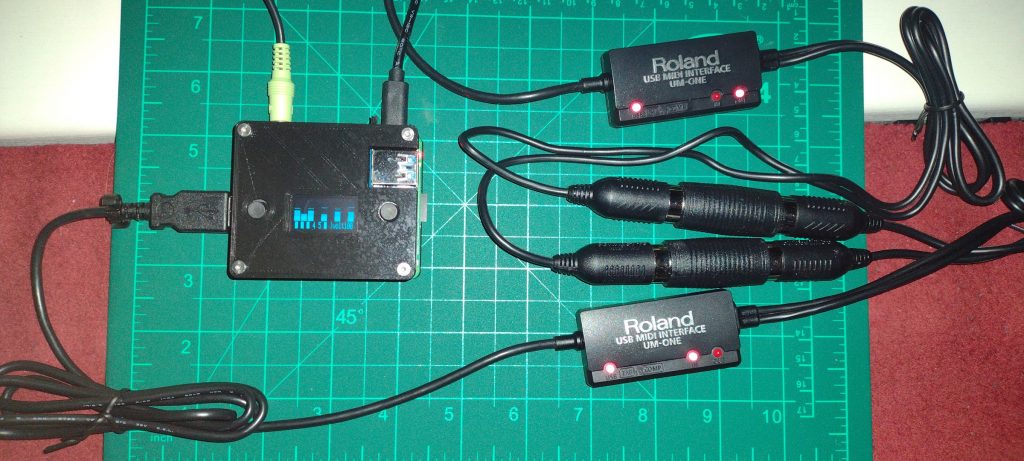
The first thing I needed to do was get more Roland UM-ONE mk2 USB to MIDI cables/adapters. I patched it into my PC and fired up the DAW software and tested the sounds. Now a word of note here, the 3.25mm stereo jack on the Raspberry Pi is noisy (it might have something to do with the video signal in the same jack).
MT32-Pi all cabled up
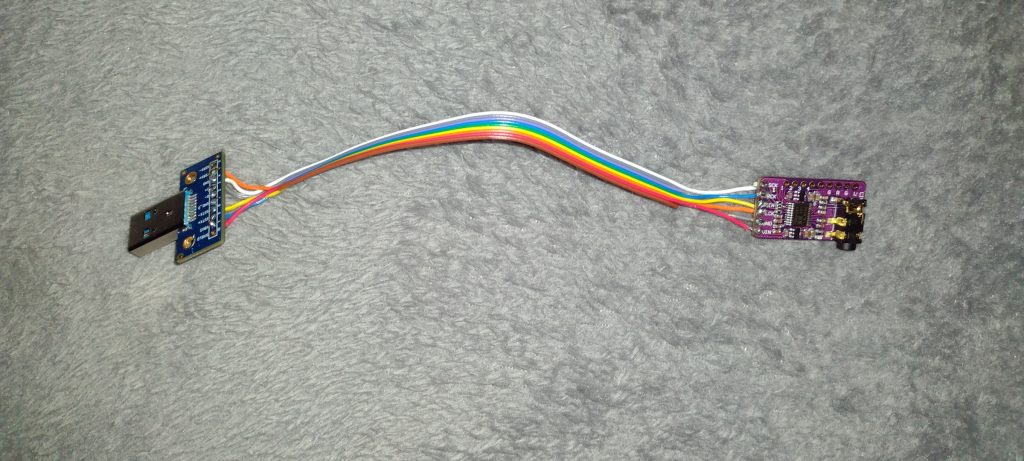
This worked really well, despite the somewhat rocky sound of The Pi. I ordered a GY PCM5102 DAC board to get clean audio (based on recommendations of the developer of the MT32-Pi hat). I realized I’d need a USB Side connector too, so I ordered that and got it all soldered together. That USB Port isn’t really USB, but it uses the same USB 3.1 Type A connector.
The tiny wires I was using were too small for my auto-wire striper and manually stripping them broke some of the strands in the stranded wires. The solders are weak. I have a quarter size perma-proto perf board coming to finish this up properly.
USER PORT to GY PCM5102 DAC adapter “cable”
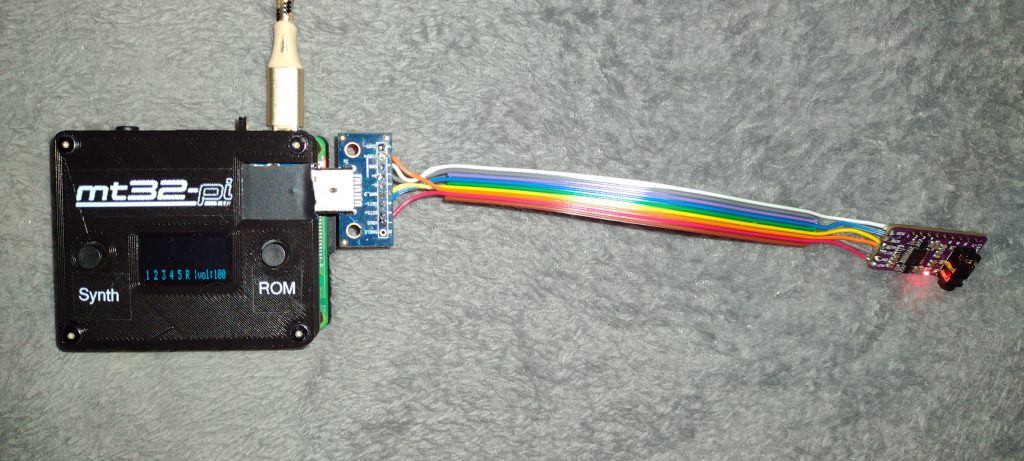
This little connector works, but it is delicate. I had to re-solder the wires on it a few times as critical leads (there are only six, they’re all critical) would “break loose.” Below is the MT32 tied to power and the connector. I don’t have it hooked to the PC and audio here, but you should get the idea. Oh and I got some nice labels on the MT32-Pi.
Powered MT32-PI with DAC Attached
The new labels look reasonable good. I made them with my DYNO Label Manager. I got the mt32-pi label image from the project files on the mt32-pi github.
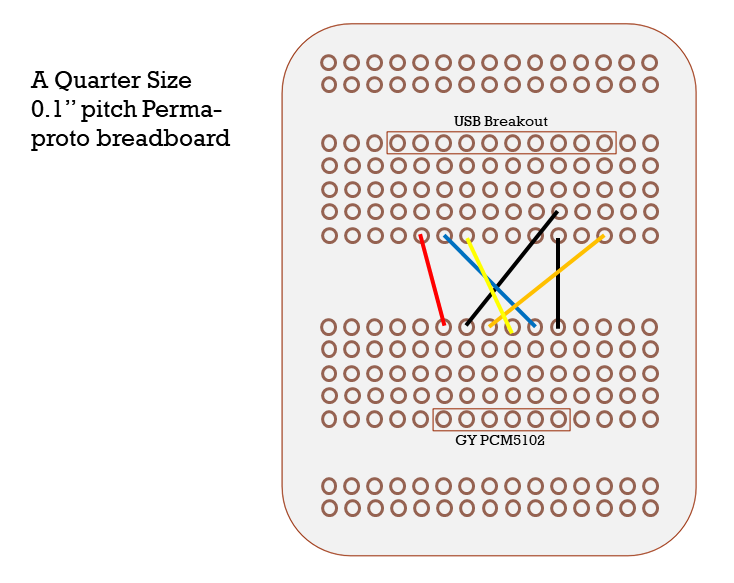
When I have the perf board completed I can update this post with an image of that. It will have “header pins” to connect the board to the DAC and the User Port connector, then some solid core wire to make the connections between the them. Solid Core will be good since they won’t be bending all over like the loose ribbon cable. The solid core wire connections will be cleaner to solder with too.
Here is a diagram to help wire up the proto-board:
Proto-board Wiring
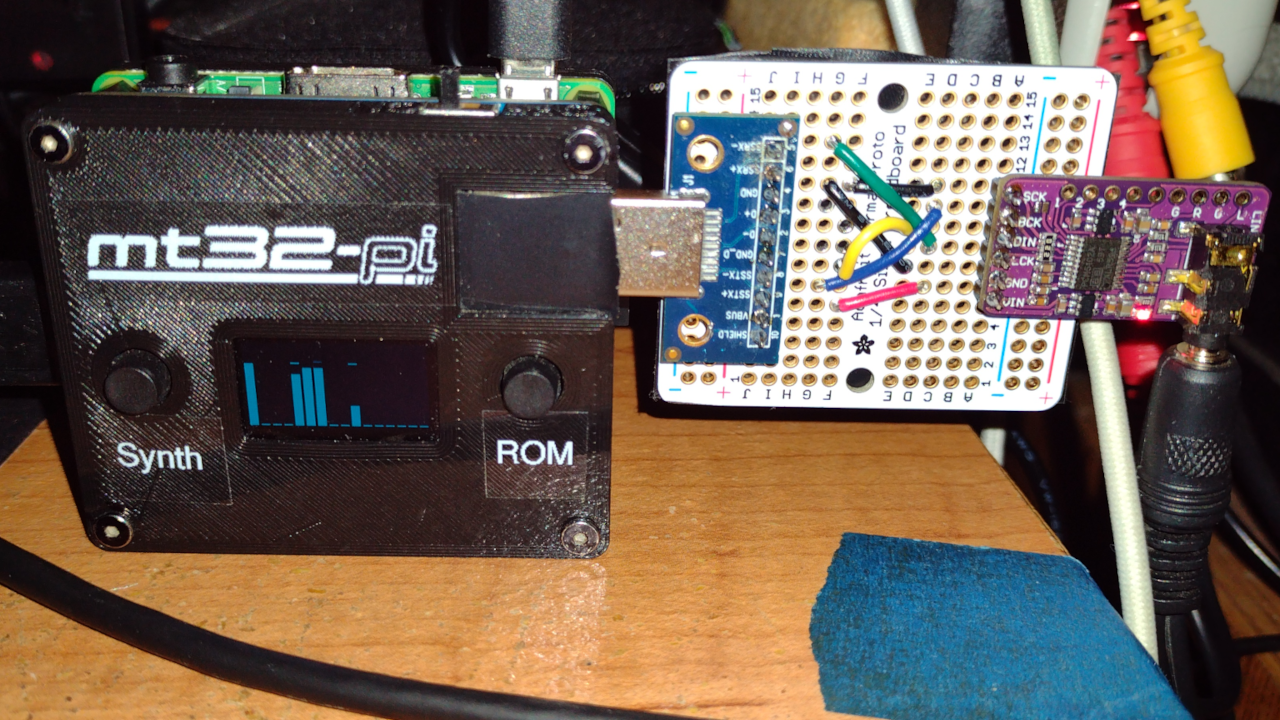
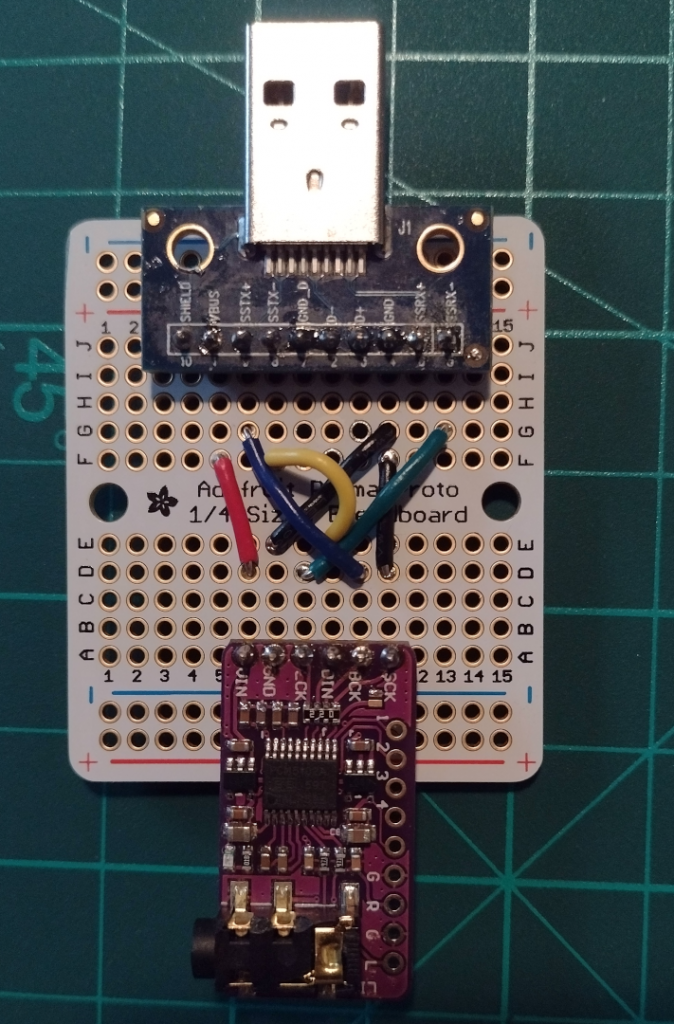
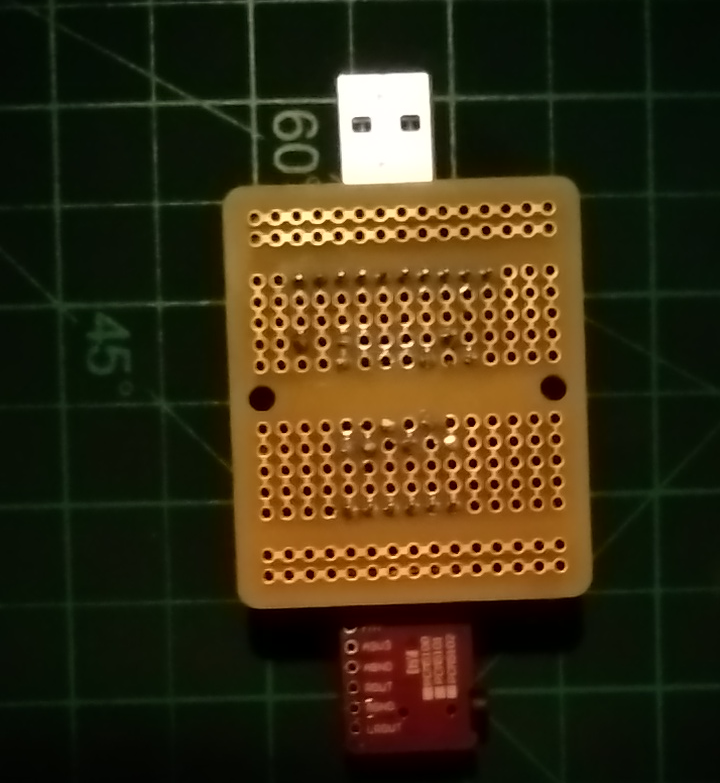
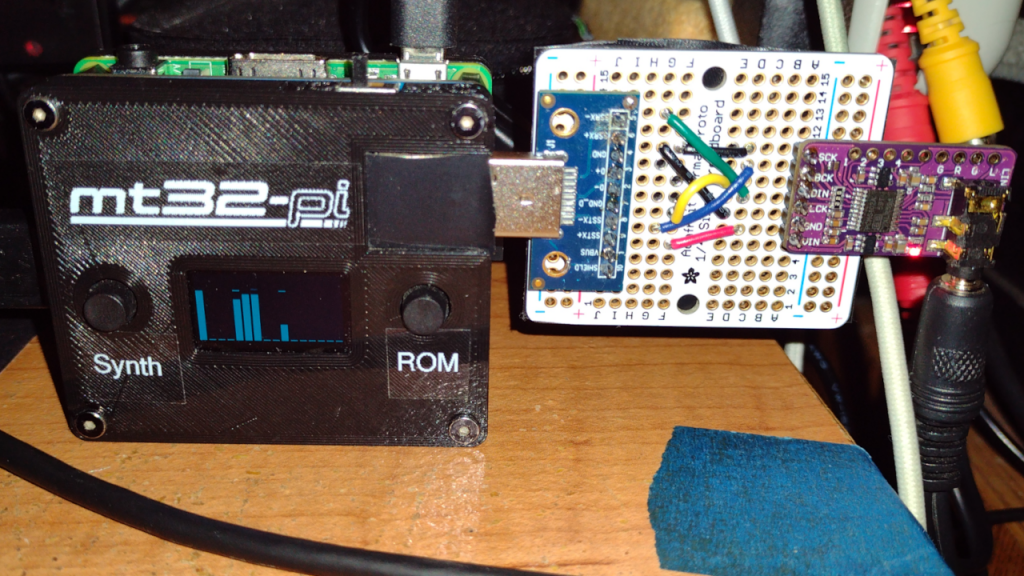
Photos of the finished proto-board project:
Completed Proto-Board USB to Audio DACThe back of the proto board, just for good measuremt32-pi sending Audio through proto board.